
- Company
Odoo Studio makes it easy to customize your ERP without writing code. Businesses can add new fields, modify forms, update reports, rearrange layouts, and customize menus with just a few clicks. While this flexibility is one of Odoo's biggest strengths, it also creates a challenge.
As more administrators, consultants, and developers work on the same Odoo database, it becomes difficult to remember who changed what and when.
A form suddenly looks different.
A field becomes mandatory.
A report layout changes.
An automation stops working.
The first question everyone asks is:
"Who made this change?"
Without a proper tracking system, finding the answer can take hours.
This is where the Studio Activity Tracker becomes an essential tool for Odoo users.
The module automatically records every Studio modification, allowing businesses to maintain a complete history of changes while improving accountability and making troubleshooting much easier.
Studio Activity Tracker is an Odoo module that records every customization made through the Odoo Studio interface.
Whenever someone modifies:
the module automatically creates an activity log.
Instead of wondering what changed, administrators can simply open the activity history and review every modification.
Many businesses customize Odoo continuously.
Examples include:
These changes improve business operations.
However, when multiple users work on the same database, problems begin to appear.
For example:
A consultant modifies a Sales Order form.
A week later, another administrator changes the Purchase module.
A month later, a workflow stops working.
Nobody remembers which customization caused the issue.
Without change tracking, finding the source becomes difficult.
Businesses often experience:
These issues become more common as teams grow.
The module operates silently in the background.
There is no extra work for users.
Whenever someone saves a Studio customization, the tracker automatically records important information.
This includes:
Everything is stored securely for future reference.
Every Studio customization creates a detailed activity record.
Administrators can easily identify:
Who made the change
When it happened
Which model was modified
Which view changed
What exactly was changed
Instead of guessing, businesses have complete visibility.
One of the most valuable features of this module is XML Difference Tracking.
Odoo Studio stores form and view customizations using XML architecture.
The Studio Activity Tracker compares:
Previous XML
vs
Updated XML
and highlights only the actual differences.
This allows developers to quickly understand what changed without reviewing the entire XML file.
Instead of searching across multiple menus, every Studio activity appears in one centralized location.
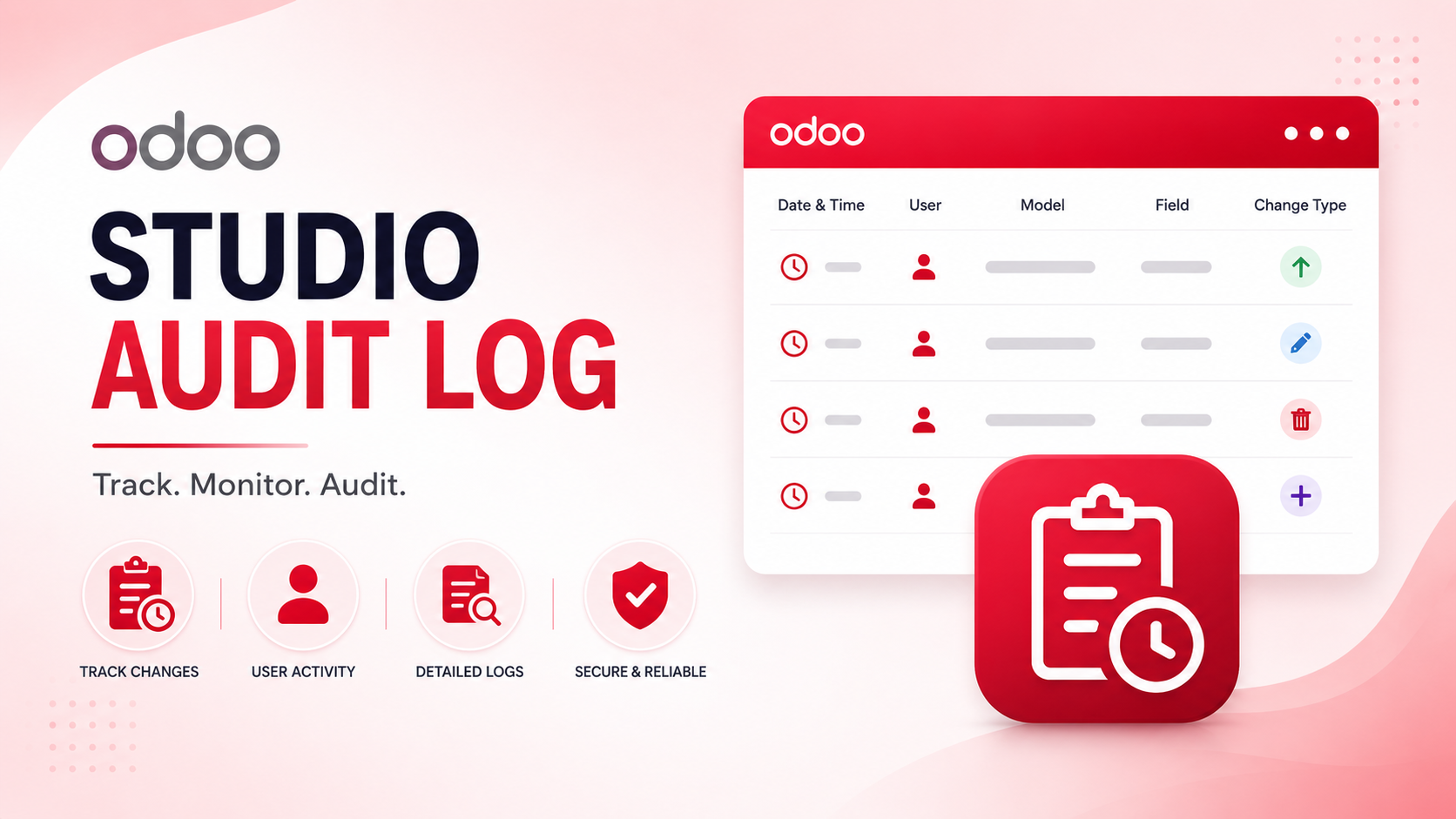
The audit log includes:
This makes reviewing customization history simple and organized.
Every Studio save action is recorded automatically.
There is no need to enable tracking manually.
Know exactly which administrator or consultant made every Studio modification.
Perfect for organizations where multiple people manage Odoo.
Each activity includes:
This creates a complete historical timeline of modifications.
Instead of showing large XML files, the module displays only meaningful changes.
This saves developers valuable troubleshooting time.
Track whenever users:
Everything is recorded.
Monitor changes to:
This helps maintain consistency across the ERP.
Whenever PDF reports are modified through Studio, the tracker records those changes as well.
Perfect for businesses with customized invoices, quotations, delivery slips, and reports.
Track changes such as:
Even small property updates are captured.
The tracker works silently without affecting the user experience.
Users continue working normally.
The logging process is optimized to execute instantly during Studio save operations.
Database performance remains unaffected.
The module removes unnecessary Studio-generated XML so administrators only see meaningful differences.
This keeps comparison reports clean and readable.
Only authorized System Administrators can view activity logs.
This protects sensitive customization history.
Everyone knows exactly who made every customization.
This encourages better change management.
When something stops working, administrators can quickly review recent changes.
No more guessing.
Implementation partners, developers, and administrators can work together with confidence.
Every customization has a visible history.
Problems can be identified and corrected much faster.
Businesses spend less time investigating issues.
The activity log becomes a living record of all Studio customizations.
No separate documentation is required.
Imagine an administrator changes a Sales Order form by:
Without XML comparison:
Developers must review hundreds of XML lines.
With Studio Activity Tracker:
Only those three changes appear.
This dramatically reduces debugging time.
Track every customization made across departments.
Provide clients with complete visibility into delivered Studio customizations.
Clients always know what has been changed.
When a customer reports an issue, support teams can immediately verify whether a recent Studio modification caused the problem.
Companies with multiple ERP administrators can maintain accountability without manual documentation.
Review previous customizations before implementing new features.
This avoids accidental conflicts.
Our other products - AI OCR Bill Scanner in Odoo: Automate Invoice Data Entry with Groq AI
As Odoo grows with your business, so do customizations.
After several months, businesses often have:
Without activity tracking, managing these changes becomes increasingly difficult.
Studio Activity Tracker keeps everything organized.
The module fits naturally into existing Studio workflows.
Users continue customizing Odoo exactly as before.
The only difference is:
Now every change has a history.
No additional buttons.
No complicated setup.
Just complete visibility.
Micra Digital specializes in helping businesses maximize the value of Odoo ERP through intelligent customizations and automation.
Our services include:
We build solutions that improve productivity while making Odoo easier to manage and maintain.
Odoo Studio makes ERP customization simple, but as more people work on the system, keeping track of changes becomes increasingly important.
Studio Activity Tracker solves this challenge by automatically recording every modification made through Studio, providing complete visibility into forms, fields, reports, menus, and XML architecture.
Whether you're an administrator, implementation partner, or support engineer, having a complete history of Studio activities saves time, improves accountability, and makes troubleshooting much easier.
If your organization relies on Odoo Studio for customization, this module is a valuable addition to your ERP system.
Looking for better visibility into your Odoo Studio customizations?
Micra Digital can help you implement the Studio Activity Tracker and other powerful Odoo solutions to improve transparency, simplify maintenance, and enhance your ERP experience.
Contact Micra Digital today to schedule a free consultation and discover how our custom Odoo modules can support your business.
Studio Activity Tracker is an Odoo module that automatically records every customization made through Odoo Studio, including forms, fields, reports, menus, and XML changes.
No. The module is optimized to record Studio changes during the save process without affecting the overall performance of your Odoo system.
Yes. Every activity log includes the user, date, time, affected model, modified view, and XML differences for complete accountability.
The module tracks form modifications, field property changes, report customizations, menu updates, XML architecture changes, and other Studio-based configurations.
Micra Digital offers expert Odoo ERP implementation, custom module development, Studio enhancements, integrations, automation, and long-term support to help businesses get the most from Odoo.
Let Odoo take your business to the next level!
Contact us and take the next step!
Follow Our Adventures!

Ready to launch your next project?

Company
Copyright © 2020. micra.digital. All rights reserved.