
- Company

Managing products across Sales Orders, Purchase Orders, Invoices, and Bills can become challenging when businesses handle large product catalogs. Product names or internal references alone may not always be enough to identify the right item quickly.
The Product Image in Sales, Purchase & Invoices module for Odoo solves this problem by adding clear product image thumbnails directly to order lines and printed PDF reports.
With visual product identification, sales teams, purchasing teams, accountants, and customers can verify products faster, reduce order mistakes, and work with cleaner, more informative documents.
Product Image in Sales, Purchase & Invoices is an Odoo module that displays product image thumbnails directly inside order line tables.
Instead of relying only on product names, users can instantly see the associated product image when creating or reviewing:
The module also extends this visual identification to printed PDF documents, making quotations, invoices, and purchase documents easier to understand.
When a business manages hundreds or thousands of products, similar product names can make order verification difficult.
For example, a sales representative may have multiple products with similar descriptions but different sizes, colors, models, or variants.
A product image provides an additional visual reference.
With Product Image in Order Lines, users can:
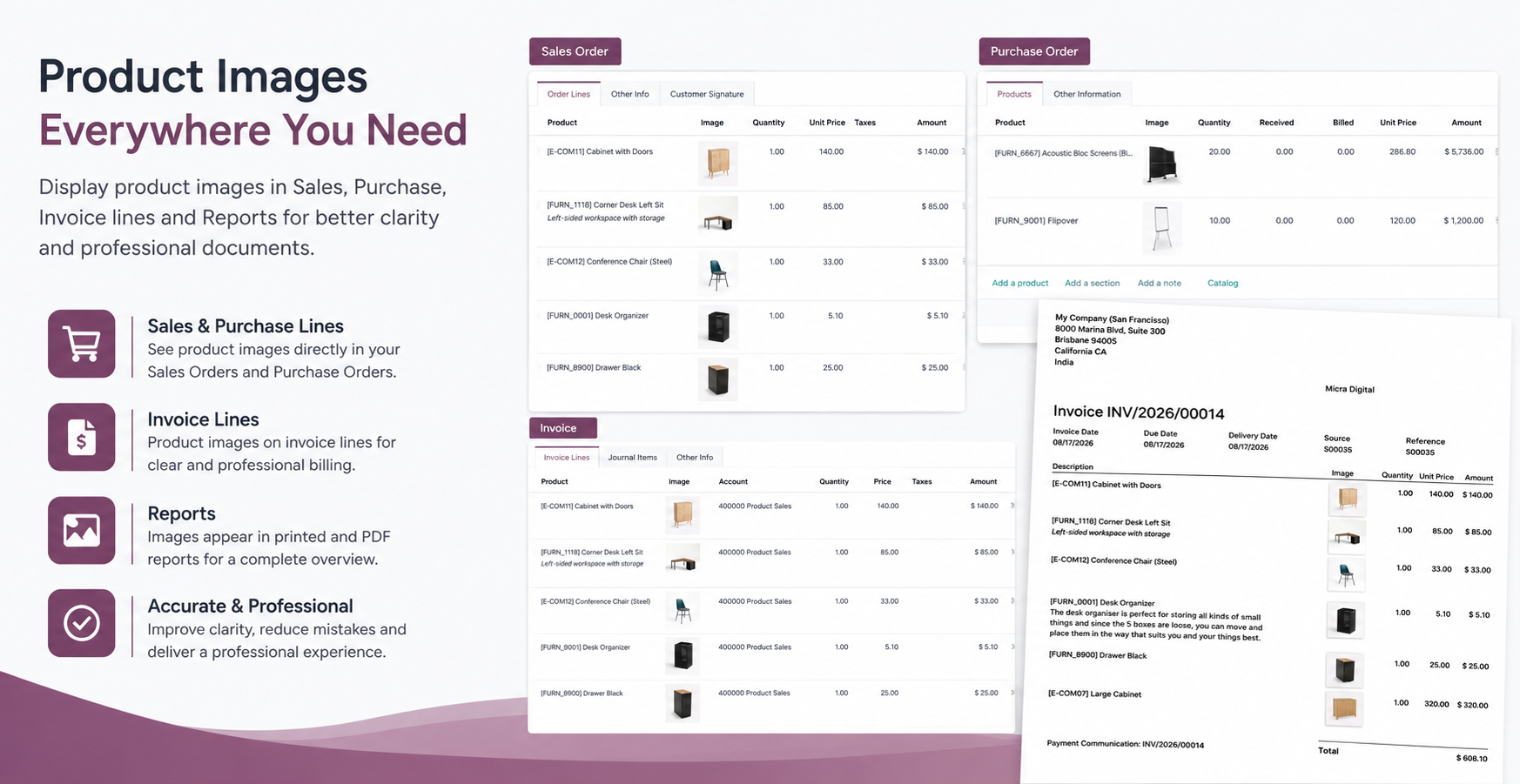
The module displays 64 × 64 px square product image thumbnails directly beside the product field in order lines.
When a product is selected, its associated image appears automatically.
This gives users an instant visual preview without opening the product form or switching screens.
Instead of checking product details manually, users can simply look at the thumbnail and confirm whether the selected product is correct.
This is particularly useful when products have:
Sales teams can view product images while preparing quotations and sales orders.
The image column appears within the order line table, allowing users to visually verify products before confirming the order.
The product images can also be included in the quotation PDF, giving customers a visual reference alongside product names, quantities, and pricing.
This can make customer-facing quotations more informative and easier to review.
The module also supports Odoo's invoicing workflows.
Product thumbnails can be displayed in:
Images can also be rendered in printed PDF invoice documents.
For businesses dealing with many products, this additional visual information can make invoice verification faster and reduce confusion between similar items.
Purchasing teams can also benefit from visual product identification.
When preparing a Purchase Order or RFQ, product images appear alongside the selected products.
This allows buyers to quickly verify the items before sending an order to a vendor.
For businesses purchasing multiple similar products, the visual reference can be especially useful.
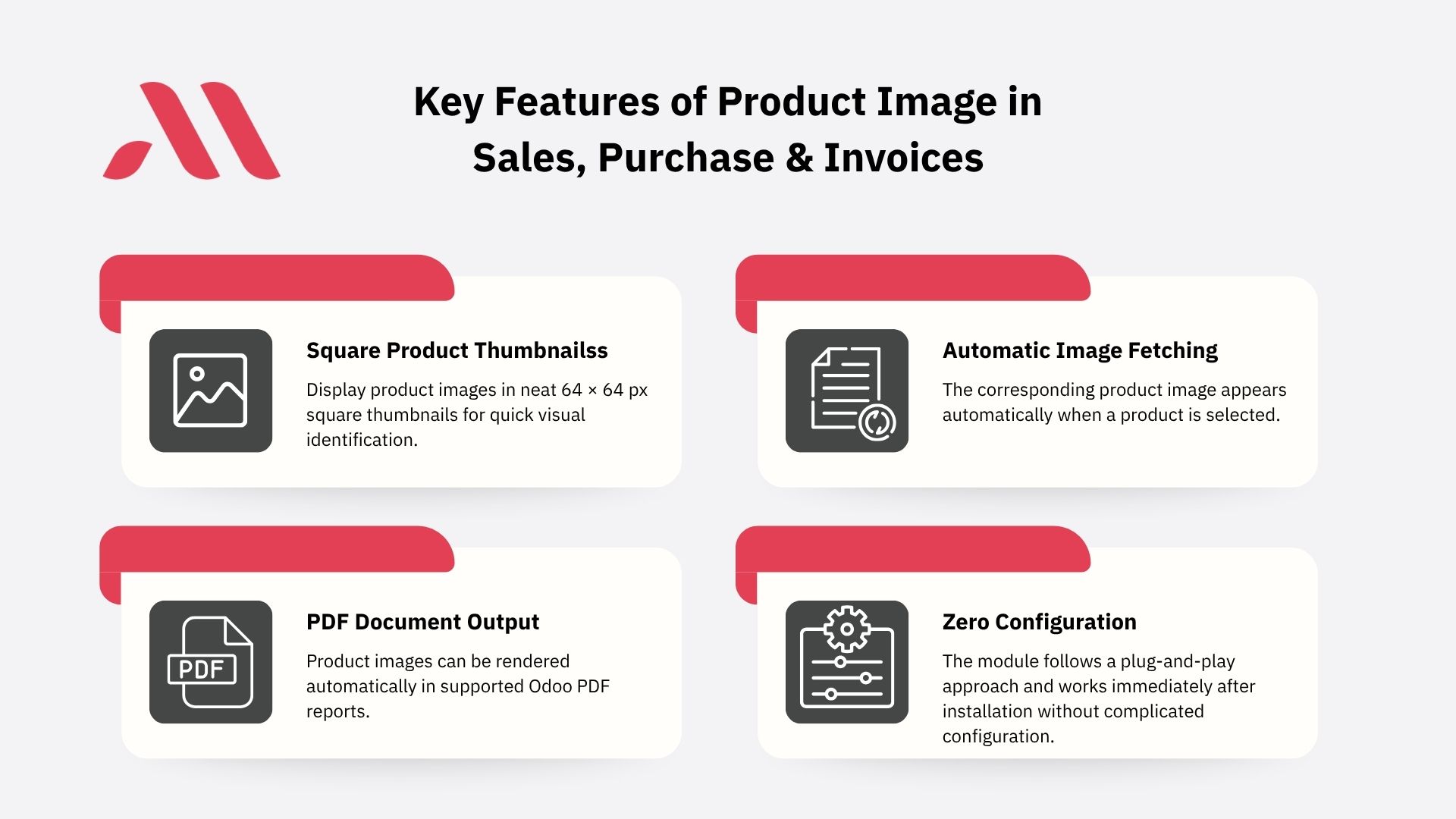
The module is designed to keep the Odoo interface clean and compact.
Product images are displayed as 64 × 64 px square thumbnails next to the product field without unnecessary white space.
The result is a simple visual enhancement that fits naturally into the existing Odoo workflow.
Visual product identification doesn't stop at the Odoo interface.
The module also integrates product images into printed PDF documents.
Images can be automatically displayed on:
The module integrates with Odoo's PDF reporting system to provide clean image rendering in customer-facing and internal documents.
This makes documents more visual while maintaining a professional layout.
The workflow is simple:
Select Product → Product Image Appears → Verify Item → Print or Send Document
When you select a product in an order line, the system automatically fetches and displays the corresponding product image.
There is no need to manually upload or select the image every time.
This makes the feature particularly useful for businesses where products already have images configured in Odoo.
The module works across three important Odoo business areas.
Product images are displayed in:
Images can also be included in quotation PDF documents.
Product thumbnails are supported in:
Product images are available in:
This gives businesses a consistent visual experience across their sales, accounting, and purchasing workflows.
Our other product - Advanced Accounting & Dashboard in Odoo: Real-Time Financial Insights in One View
This module can be useful for businesses that manage large or visually similar product catalogs.
Quickly identify products while creating sales and purchase orders.
Help sales teams verify product variants and items before confirming orders.
Improve product identification across purchasing and sales workflows.
Reduce confusion when handling multiple products and variants.
Use product images as an additional visual reference for sales and invoicing documents.
Make everyday product verification faster and easier.
Product selection errors often happen when employees rely only on product names or internal references.
Consider two products with nearly identical names but different specifications.
Without an image, the user may need to open the product record to verify the item.
With an image directly in the order line, the product can be checked instantly.
This simple visual layer can help businesses:
Identify → Verify → Confirm
with fewer unnecessary steps.
Adding product images to order lines may seem like a small improvement, but it can make everyday Odoo operations more visual and efficient.
Instead of asking users to remember product names or repeatedly open product records, the image becomes an immediate visual reference.
This is especially valuable for companies where product appearance matters or where many products have similar names.
The Product Image in Sales, Purchase & Invoices module by Micra Digital brings visual product identification directly into Odoo's Sales, Purchase, and Invoicing workflows.
From order line previews to professional PDF reports, product images help users verify items faster, reduce confusion, and create more informative business documents.
For businesses managing large product catalogs, this simple Odoo enhancement can make everyday order processing more visual, efficient, and user-friendly.
It displays square product image thumbnails in Odoo order line tables and supported PDF reports across Sales, Invoices, Bills, and Purchase Orders.
Yes. Product images can be displayed on supported PDF documents, including quotations, invoices, vendor bills, purchase orders, and RFQs.
Yes. The image column can be shown or hidden in supported list views according to the user's preference.
The module uses clean 64 × 64 px square thumbnails for compact visual identification.
This module is built and tested for Odoo 19, supporting both Community and Enterprise editions.
Let Odoo take your business to the next level!
Contact us and take the next step!
Follow Our Adventures!

Ready to launch your next project?

Company
Copyright © 2020. micra.digital. All rights reserved.