
- Company
Making changes directly in a live ERP system can be risky. Whether you're installing a new module, importing thousands of records, testing workflows, or training employees, one mistake can impact critical business operations.
That's where an Odoo Sandbox becomes invaluable.
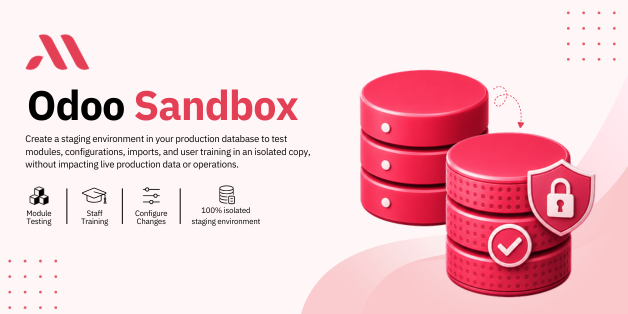
An Odoo Sandbox provides a fully isolated copy of your production database where you can safely test, learn, and experiment without affecting live business data. With Micra Digital's Odoo Sandbox solution, businesses can create staging environments in just one click and confidently make changes before deploying them to production.
An Odoo Sandbox is a testing environment in your live Odoo database while remaining completely isolated from production.
It allows businesses to:
All without impacting live users, transactions, or business operations.
Think of it as a safe playground where you can test everything before implementing it in your actual Odoo ERP system.
Many companies make the mistake of testing directly in their production environment.
This often leads to:
An Odoo Sandbox eliminates these risks by providing a secure space to test changes before they go live.
Zero risk to production data
Faster testing and validation
Safer module installation
Better employee training
Smooth implementation of updates
Reduced operational downtime
Micra Digital's Odoo Sandbox module simplifies staging environment creation with a fully automated and user-friendly workflow.
Instead of manually duplicating databases and configuring environments, users can create an isolated sandbox with a single click.
Creating a testing environment should not require technical expertise.
With the Odoo Sandbox module, users can instantly generate a staging environment directly from Odoo.
This dramatically reduces setup time and simplifies testing.
The sandbox operates independently from the production database.
Changes made inside the sandbox do not affect:
This complete isolation ensures safe experimentation and testing.
One of the biggest risks when working with multiple environments is accidentally making changes in production.
The module solves this by displaying clear visual indicators throughout the sandbox.
Users immediately know they are working inside a testing environment.
The Odoo Sandbox includes multiple color themes that visually distinguish staging environments from production.
Users can choose from seven unique accent colors to differentiate environments.
The module creates a seamless process for testing and validation.
Click the Sandbox button inside Odoo.
The system generates an isolated staging environment.
Watermarks and theme indicators activate automatically.
Install modules, modify settings, test workflows, or train employees safely.
Before installing a new third-party module in production, businesses can test compatibility and functionality in a sandbox.
Importing large datasets directly into production can be dangerous.
Examples include:
Testing imports in a sandbox helps identify errors before they affect live operations.
Training new employees in production environments often creates confusion and accidental mistakes.
With Odoo Sandbox:
Users gain hands-on experience using actual business processes.
ERP configurations can impact multiple departments.
Before making changes to:
Businesses can validate everything in the sandbox first.
Odoo customizations often require extensive testing before deployment.
Developers can:
Without disrupting business operations.
As organizations grow, their ERP systems become more complex.
A single configuration error can affect:
An Odoo Sandbox acts as a safety layer that protects business continuity while enabling innovation and improvement.
It gives teams confidence to test, optimize, and evolve their ERP environment without fear.
You may also find this helpful - Advanced Portal Repair Notification & Maintenance Request System in Odoo ERP
Test everything before deploying to production.
Validate ideas quickly and confidently.
Provide hands-on learning without consequences.
Safely evaluate updates and configurations.
Minimize downtime and operational disruptions.
Deploy new features knowing they have already been tested.
At Micra Digital, we build practical Odoo solutions that solve real business challenges.
Our Odoo Sandbox module helps organizations:
With extensive Odoo development experience, we create modules that improve operational efficiency while reducing risk.
Testing directly in production is one of the biggest risks businesses face when managing an ERP system.
An Odoo Sandbox provides a secure, environment where teams can safely test modules, train employees, import data, and validate configurations without affecting live operations.
With one-click deployment, visual safety indicators, and complete database isolation, Micra Digital's Odoo Sandbox makes ERP testing simple, safe, and efficient.
If you want to reduce risk, improve deployment confidence, and streamline Odoo testing, an Odoo Sandbox is an essential addition to your ERP environment.
An Odoo Sandbox is a testing environment in your live Odoo database while remaining completely isolated from production.
No. The sandbox environment is completely isolated, ensuring all testing remains separate from live business operations.
Yes. The sandbox is ideal for testing third-party modules, custom developments, and upgrades before deploying them to production.
Absolutely. Employees can learn and practice workflows using realistic business data without risking production records.
Visual watermarks help users immediately recognize they are working in a testing environment, preventing accidental confusion between sandbox and production databases.
Let Odoo take your business to the next level!
Contact us and take the next step!
Follow Our Adventures!

Ready to launch your next project?

Company
Copyright © 2020. micra.digital. All rights reserved.