
- Company
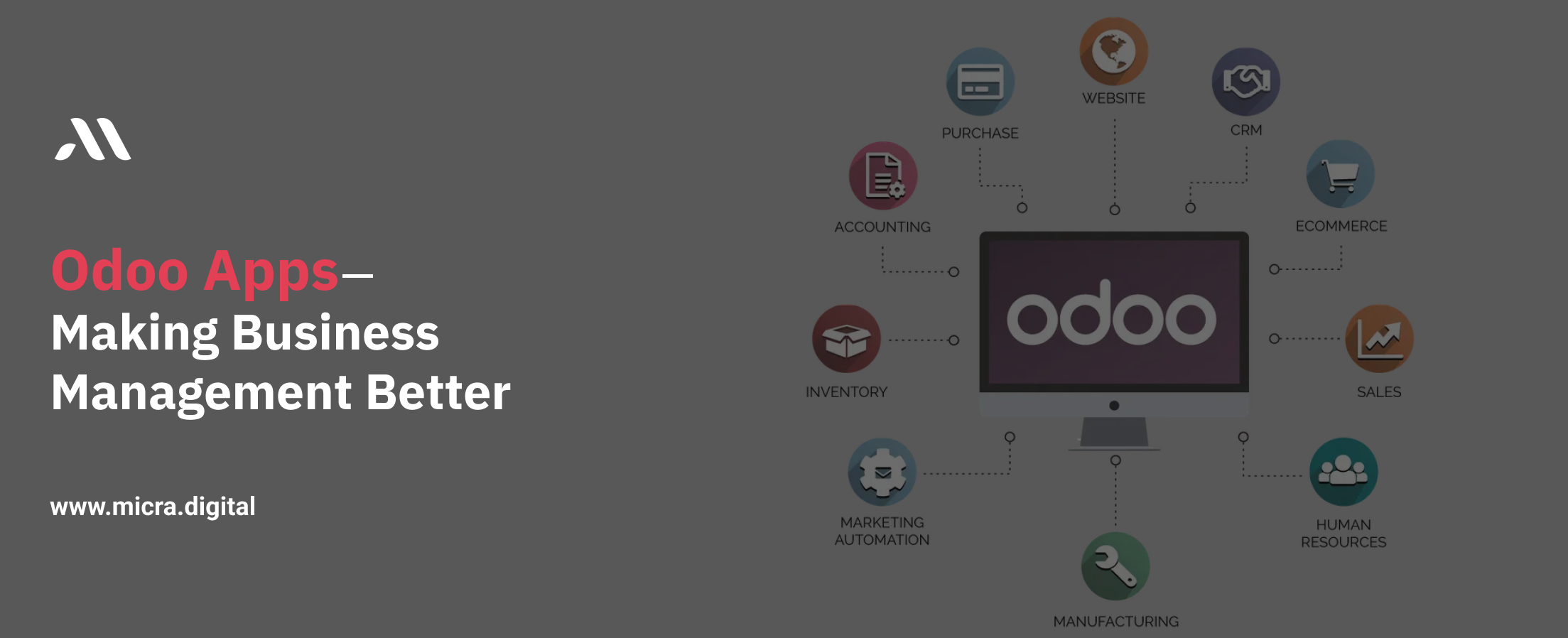
Effective business management is difficult, particularly when balancing several teams, departments, and procedures. Odoo Apps are useful in this situation. These tools are intended to make managing their everyday operations easier and more accurate for companies of all sizes. Odoo Apps provides various solutions for every business and purpose, from automating HR to handling money.
This blog will discuss why Odoo Apps are essential for contemporary companies and how they may speed up your daily tasks.
Modular software programs called Odoo Apps are incorporated into the Odoo ERP platform. Accounting, inventory, and customer relationship management (CRM) are just a few of the business functions that each app is made to manage.
Together, they function flawlessly, allowing companies to customize their software to specific requirements.
What distinguishes Odoo Apps is their versatility. Installing the apps that are important to your organization is all that is required, and you can grow the system as your needs change.
1. User-Friendly Interface
Odoo Apps have a clean and intuitive interface, making it easy for anyone to use, regardless of technical expertise.
2. Wide Range of Modules
From sales and marketing to warehouse management, Odoo offers over 50 official apps and thousands of community-developed apps.
3. Customizability
Each app can be tailored to suit the specific requirements of your business, ensuring maximum efficiency.
4. Integration
All Odoo Apps are designed to integrate, providing a cohesive platform for managing your business.
1. Accounting
Manage all your financial transactions, from invoicing to bank reconciliation, in one place.
Automates complicated tasks, reduce errors, and provides real-time financial insights.
2. CRM
Keep track of your leads, opportunities, and customer interactions to build better relationships.
Helps boost sales, improve customer satisfaction, and enhance team productivity.
3. Inventory Management
Manage stock levels, track shipments, and ensure timely deliveries.
Minimizes wastage, prevents stockouts and simplifies warehouse operations.
4. Project Management
Plan, track, and collaborate on projects more efficiently.
Enhances team collaboration and ensures deadlines are met.
5. HR Management
Handle employee records, payroll, attendance, and recruitment in one app.
Saves time, reduces paperwork, and keeps HR processes organized.
6. Sales
Manage quotations, sales orders, and pricing strategies effectively.
Accelerates the sales cycle and improves revenue management.
7. Marketing
Automate email campaigns, track engagement and manage social media posts.
Makes marketing campaigns more targeted and effective.
8. eCommerce
Set up and manage an online store effortlessly.
Integrates with other Odoo Apps for inventory, payments, and shipping.
Affordability
Odoo Apps are cost-effective compared to many other ERP solutions. You only pay for the apps you use, and open-source options can further reduce costs.
Scalability
Whether you’re a startup or a multinational corporation, Odoo Apps grow with your business, making them a long-term investment.
Community Support
With a large community of developers, you’ll find regular updates, new features, and third-party apps to extend functionality.
1. Identify Your Needs:
List the key processes you want to improve and choose apps accordingly.
2. Set Up the Apps:
Install and configure the selected apps.
3. Train Your Team:
Ensure your employees understand how to use the apps effectively.
4. Test and Go Live:
Run a trial period to iron out any kinks before fully deploying the system.
5. Monitor and Optimize:
Regularly review app performance and make adjustments as needed.
For Small Businesses:
Odoo Apps provide cost-effective solutions to automate repetitive tasks, allowing small teams to focus on growth.
For Medium-Sized Businesses:
The ability to integrate multiple apps makes Odoo a powerful tool for improving efficiency and scaling operations.
For Large Corporations:
With its extensive features and customization options, Odoo can handle the complexities of large-scale operations.
By using the appropriate Odoo Apps, companies can simplify processes, increase output, and concentrate on what truly counts—expansion. Get Started today!
Ready to simplify your business with Odoo Apps?
Contact us today to discover how we can help you choose the right apps for your business and implement them successfully!
1. Can I use Odoo Apps individually?
Yes, you can start with a single app and expand to others as your needs grow.
2. Are Odoo Apps easy to use?
Absolutely! The user-friendly design ensures a smooth learning curve for your team.
3. How much do Odoo Apps cost?
Costs vary based on the apps you choose and whether you opt for additional customizations.
4. Can Odoo Apps integrate with other software?
Yes, Odoo Apps can integrate with various third-party tools to enhance functionality.
5. Is technical support available for Odoo Apps?
Yes, Odoo and its partners offer support to help with setup, troubleshooting, and maintenance.
Let Odoo take your business to the next level!
Contact us and take the next step!
Follow Our Adventures!

Ready to launch your next project?

Company
Copyright © 2020. micra.digital. All rights reserved.