
- Company
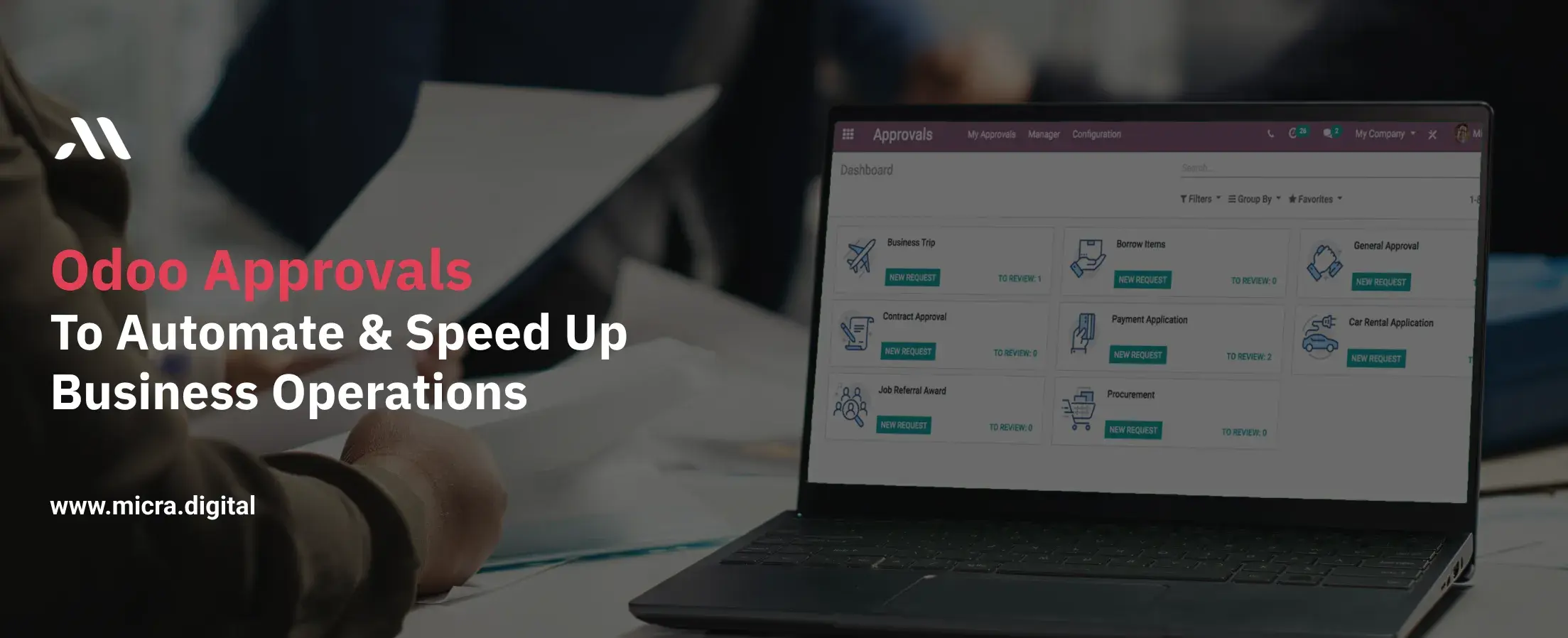
Approvals are a part of almost every business. Whether it’s approving budgets, purchase orders, staff leave requests, or expense reports, waiting for approvals can slow everything down. In many companies, especially in manufacturing, retail, restaurants, education, and healthcare, this delay can lead to missed deadlines, unhappy teams, or lost opportunities.
Enter Odoo Approvals, a smart, simple tool that helps you automate and speed up business approvals. Instead of endless email threads or waiting on someone’s desk for a signature, everything happens in one place, in real-time.
In this blog, we’ll explore how Odoo Approvals can help your business move faster and more efficiently, why it's relevant across industries, and how to get started. We’ll also look at helpful tips, real data, quotes, and common questions business owners ask.
Also Read: Odoo Discuss for a smart business Communication
Odoo approvals is a feature within the Odoo ERP system designed to automate and manage approval processes. Instead of chasing down managers for signatures or waiting days for a response, Odoo lets you create custom workflows where requests are automatically routed to the right person. Whether it’s a budget approval, a purchase order, or a leave request, Odoo approvals ensure that decisions are made quickly and transparently.
Key Benefits:
Before diving into how Odoo approvals can help, let’s look at the problems with manual approval systems:
1. Time-Consuming: Employees spend hours following up on pending approvals.
2. Unclear Responsibility: Requests get lost between departments.
3. Human Errors: Missing documents or incorrect approvals lead to costly mistakes.
4. Lack of Transparency: No easy way to track where a request is stuck.
A study by McKinseyfound that employees waste 20% of their workweek on repetitive tasks like chasing approvals. For a manufacturing plant or a busy hospital, this inefficiency can impact everything from supply chains to patient care.
1. Create a Request: An employee submits a request (e.g., a purchase order) through Odoo.
2. Automated Routing: The system sends it to the designated approver based on rules you set (e.g., amounts, departments).
3. Approval/Rejection: Approvers get notified instantly and can review or request changes.
4. Record Keeping: All approved requests are stored digitally for future reference.
Tip: Start by automating small processes, like petty cash requests, before scaling to complex workflows.
 (1).jpg)
In manufacturing, delays in approving raw material purchases or equipment maintenance can halt production lines. Odoo approvals ensure that purchase orders are reviewed and signed off on quickly, keeping workflows smooth.
Note: Set approval limits for managers based on purchase amounts to prevent overspending.
Restaurants deal with perishable inventory and tight margins. Waiting days to approve supplier payments or menu changes can lead to food waste or missed opportunities. Odoo approvals help owners react faster.
Retailers juggle employee schedules, promotions, and inventory restocking. Manual approvals for staff leaves or discount policies create chaos during peak seasons. Odoo approvals keep stores running smoothly.
Schools and universities handle field trip permissions, budget allocations, and vendor contracts. Odoo approvals simplify these processes while ensuring compliance with policies.
Example: A teacher submits a field trip request. The principal approves it, and parents automatically receive consent forms via email.
In healthcare, delays in approving medical supply orders or patient referrals can have serious consequences. Odoo approvals prioritize urgent requests and maintain audit trails for compliance.
Tip: Use multi-level approvals for sensitive requests (e.g., patient data access).
No more chasing approvals. Approvers get notified automatically, and staff get real-time updates.
Requests are structured and standardized, reducing the chances of missed information or miscommunication.
Each request has a clear trail—who asked, who approved, and when.
No more hunting through emails. Every approval is recorded inside Odoo for future reference.
Tip: Keep approval chains short and focused. Long chains cause delays.
Approvals might seem like small tasks, but they play a big role in how fast and effectively your business runs. Delays add up, especially when decisions need to be made every day.
With Odoo Approvals, you take the guesswork out of the process. Everything is tracked, assigned, and done with less effort. Whether you run a factory, a classroom, a clinic, a kitchen, or a store, better approvals mean better business.
Start using Odoo Approvals today to automate and speed up business approvals.
Give your team the clarity they need to move faster and make better decisions.
Yes. You can set up custom approval types for anything—leave, purchases, budgets, or projects.
You can assign multiple approvers or a fallback approver so that decisions don’t get stuck.
Yes. You can approve or submit requests from your mobile device using the Odoo app.
Absolutely. You can see if a request is pending, approved, or refused, along with a history of actions taken.
Yes. It works well with Odoo Projects, Expenses, HR, and more, so you can connect approvals to tasks, payments, and staffing.
Let Odoo take your business to the next level!
Contact us and take the next step!
Follow Our Adventures!

Ready to launch your next project?

Company
Copyright © 2020. micra.digital. All rights reserved.