
- Company
Managing inventory across multiple companies in Odoo can quickly become complicated. In standard workflows, businesses often need to create Sales Orders, Purchase Orders, and invoices just to move stock internally between warehouses or branches.
All these processes require effort and also create extra financial documents.
This is where the Multi-Company Stock Transfer module comes into action.
It offers you the convenience of transferring your stock without having to make any inter-company sales order or purchase order.
The Multi-Company Stock Transfer module enables businesses to move stock between different Odoo companies through a simple request-and-approval workflow.
Instead of generating:
The system creates direct stock movements automatically.
One company requests stock, another company approves it, and Odoo generates the required warehouse pickings instantly.
In many organizations, stock frequently moves between:
This creates challenges such as:
For businesses managing multiple warehouses daily, this slows down operations significantly.
The module simplifies inventory management with a clean and efficient workflow.
Odoo automatically creates:
No manual stock operations are required beyond validation.
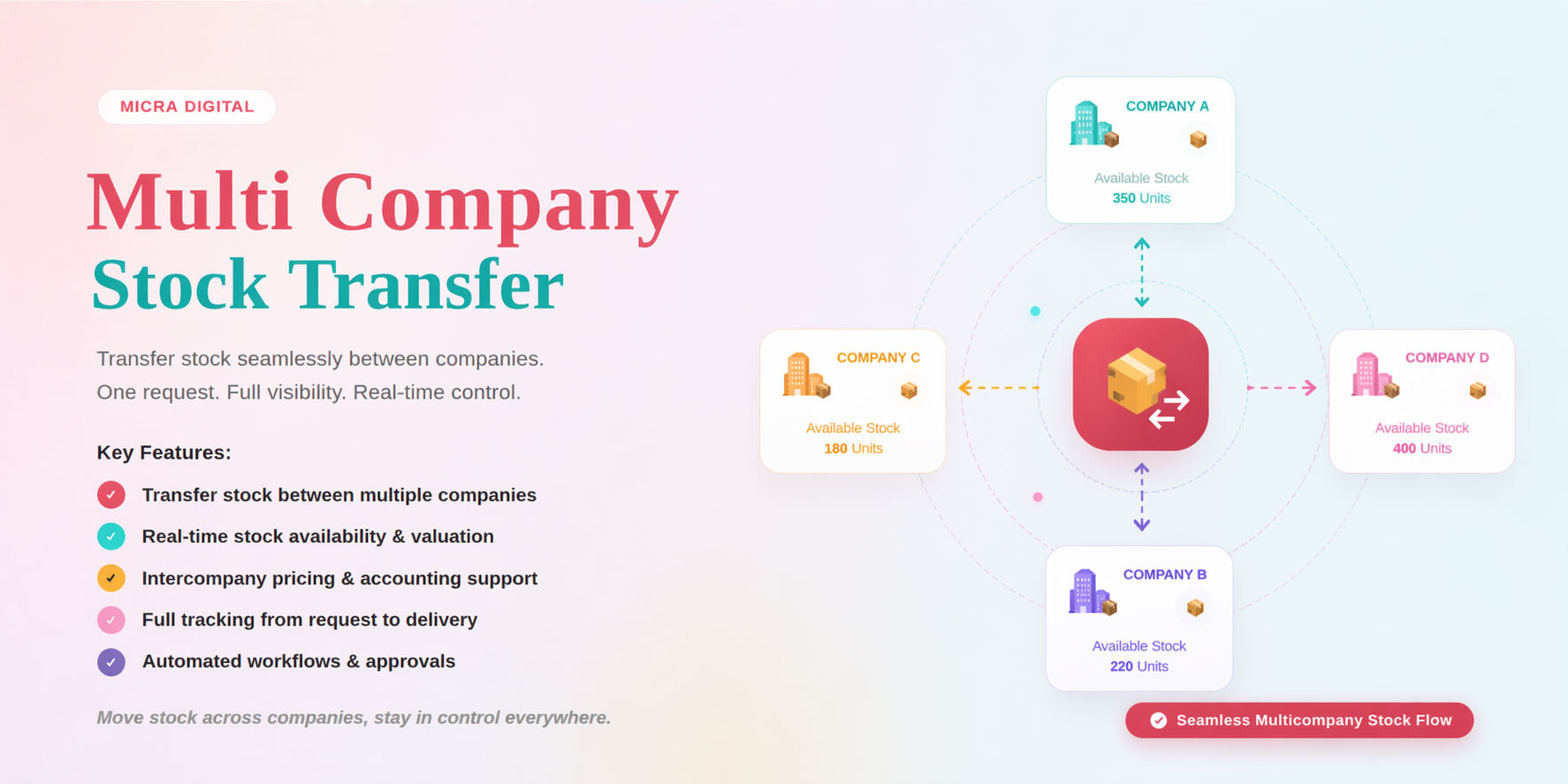
Move stock between companies without creating Sales Orders or Purchase Orders.
This keeps inventory operations fast and clean.
Once approved, the system automatically generates:
for both companies.
This removes repetitive manual work.
Every transfer follows a structured approval process:
1. Request created
2. Approval or rejection
3. Stock transfer execution
This ensures accountability and proper tracking.
Before approval, Odoo checks whether the source company has enough stock available.
This prevents inventory mismatches and failed transfers.
Both companies receive automatic email updates during every stage:
This improves communication between teams.
Smart buttons allow users to jump directly to related pickings from the transfer request.
No need to manually search inside inventory operations.
Dedicated dashboards for:
helps teams manage stock transfers efficiently.
Users only see records related to their active company.
This ensures complete data security and separation between entities.
A user from Company A creates a stock request by selecting:
Company B reviews stock availability and approves the request.
Once approved:
Warehouse teams validate the pickings.
Stock is successfully moved between companies with complete traceability inside Odoo.
Avoid lengthy purchase workflows and move inventory quickly between branches.
Perfect for internal transfers where invoicing is unnecessary.
No quotations. No purchase orders. No accounting clutter.
Warehouse teams can process stock movement directly without depending on accounting workflows.
Automatic pickings and stock validation reduce human errors.
Every request, approval, and stock movement is properly tracked inside Odoo.
The module supports:
One solution compatible across multiple Odoo versions.
You may also find this helpful - Odoo CRM Portal Access for External Users: Expand Your Sales Without Extra Costs
Transfer stock between outlets or branches to replenish inventory quickly.
Move finished goods from manufacturing companies to distribution companies efficiently.
Rebalance stock across regional warehouses based on demand.
Maintain proper approval trails and inventory records between business entities.
Businesses choose the Multi-Company Stock Transfer module because it:
It transforms complicated inter-company stock movement into a simple and automated process.
If your business operates multiple companies in Odoo, managing stock transfers manually can slow down operations and create unnecessary complexity.
The Multi-Company Stock Transfer module by Micra Digital simplifies everything by enabling direct, secure, and automated inventory movement between companies.
No extra financial documents.
No repetitive workflows.
Just fast and efficient stock transfers.
Yes, outgoing and incoming pickings are automatically generated after approval.
Yes, Odoo validates stock availability before approving the transfer request.
The module supports Odoo 17, Odoo 18, and Odoo 19.
Yes, users only see records related to their active company, ensuring secure data separation.
Let Odoo take your business to the next level!
Contact us and take the next step!
Follow Our Adventures!

Ready to launch your next project?

Company
Copyright © 2020. micra.digital. All rights reserved.