
- Company
Refunds are an essential part of retail and service businesses. Whether due to a product defect, customer dissatisfaction, or an incorrect transaction, the ability to handle refunds quickly and effectively is crucial to maintaining customer trust and satisfaction. Odoo ERP comes in.
Odoo POS (Point of Sale) is a powerful tool for managing sales operations, and its refund functionality ensures that businesses can handle such situations with ease.
This blog will walk you through the steps to process refunds in Odoo POS and provide tips to manage the process smoothly.
Efficient refund management does more than just resolve customer issues. It:
With Odoo POS, you can handle refunds effortlessly while keeping your records updated and accurate.
Step 1 - Select the order that you want to return.
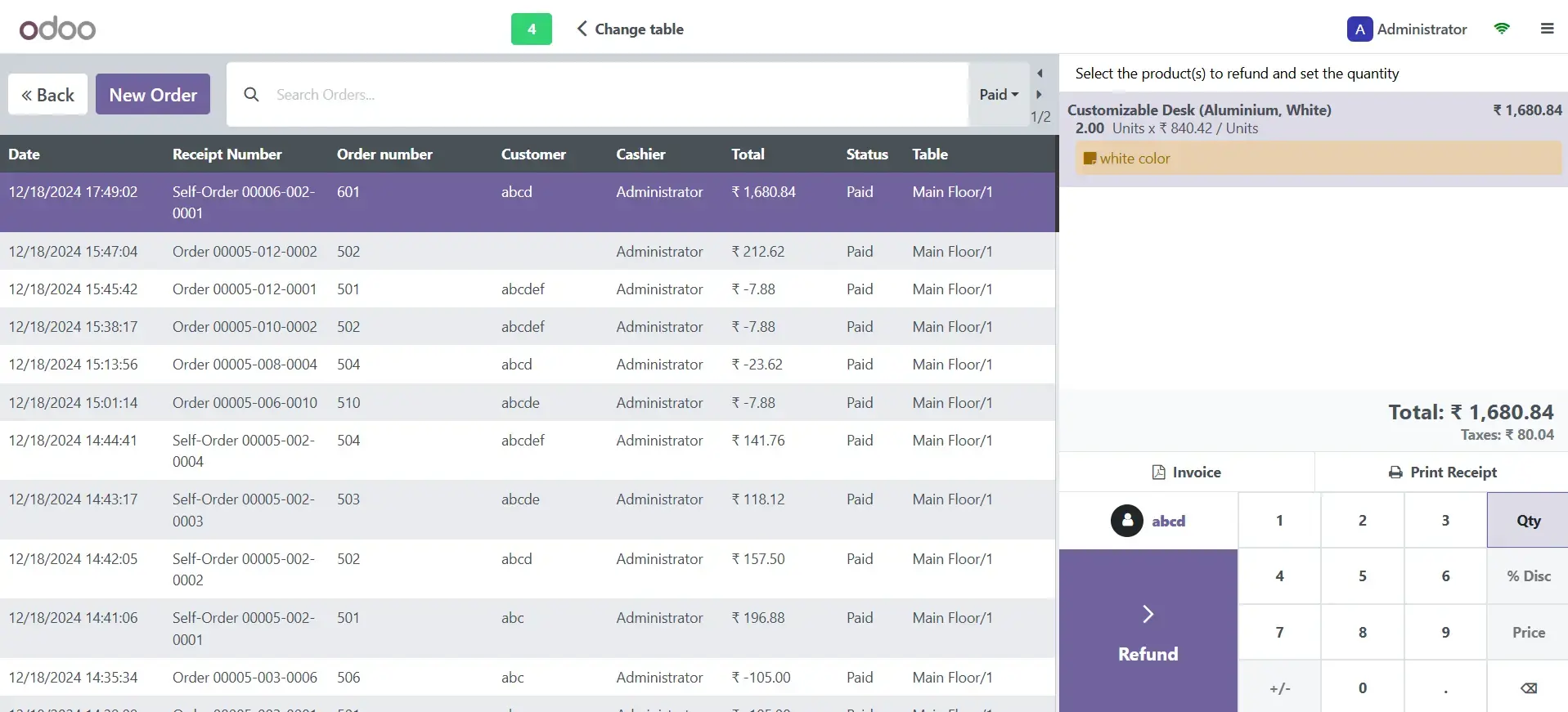
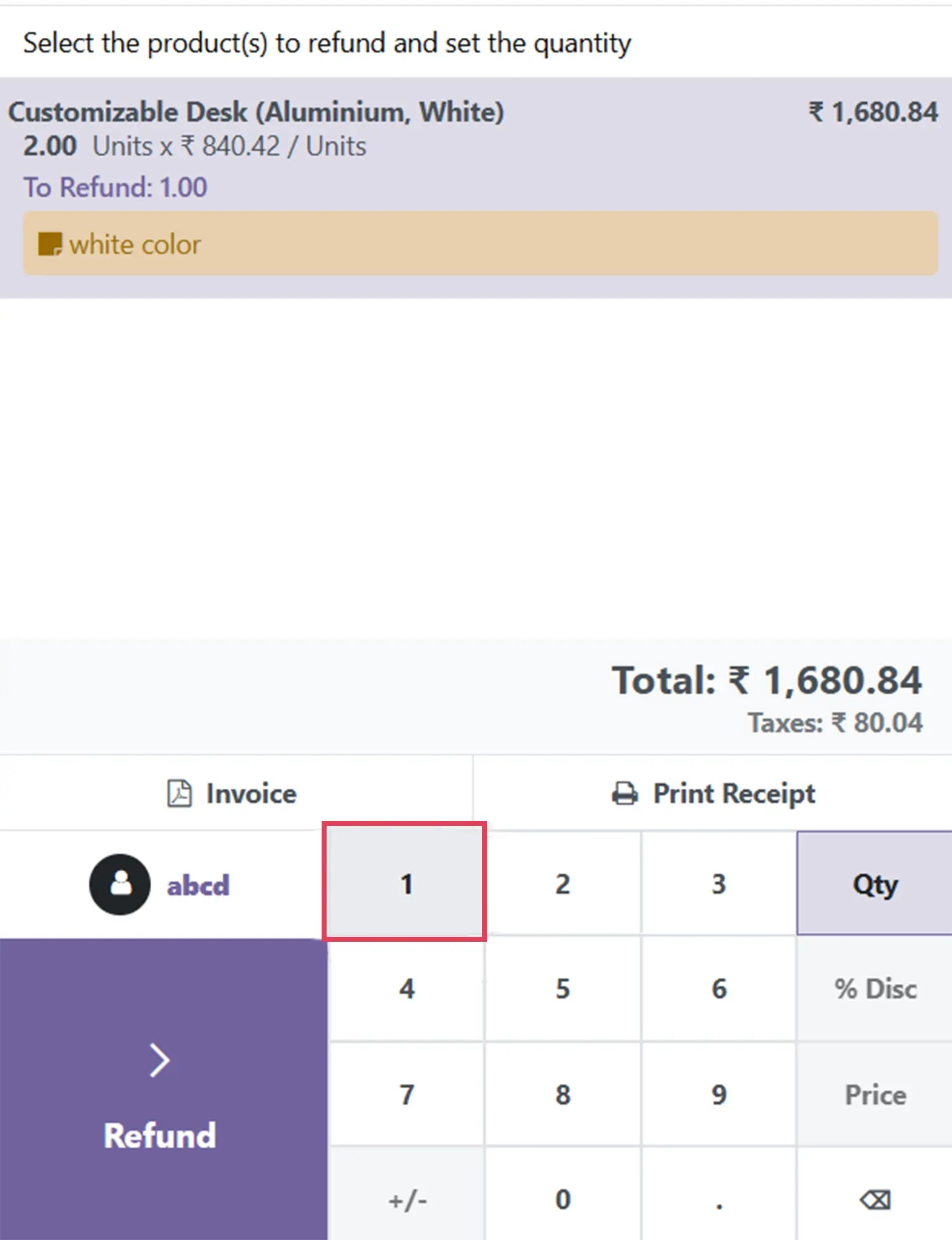
Step 2 - Add the quantity of items you want to return.
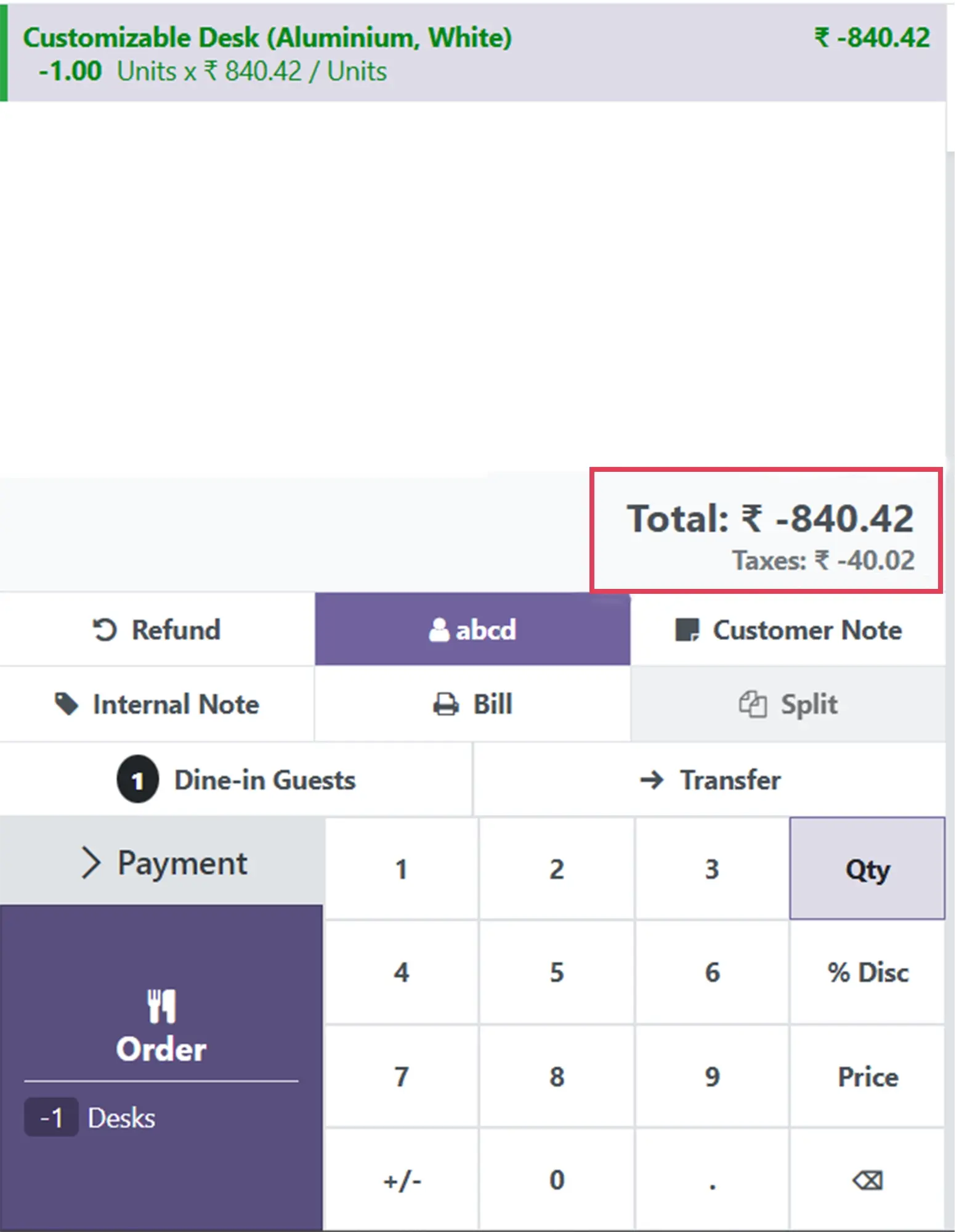
Step 3 - The refunded amount will be displayed on the screen. .
Step 4 - Select your preferred payment method for the refund.
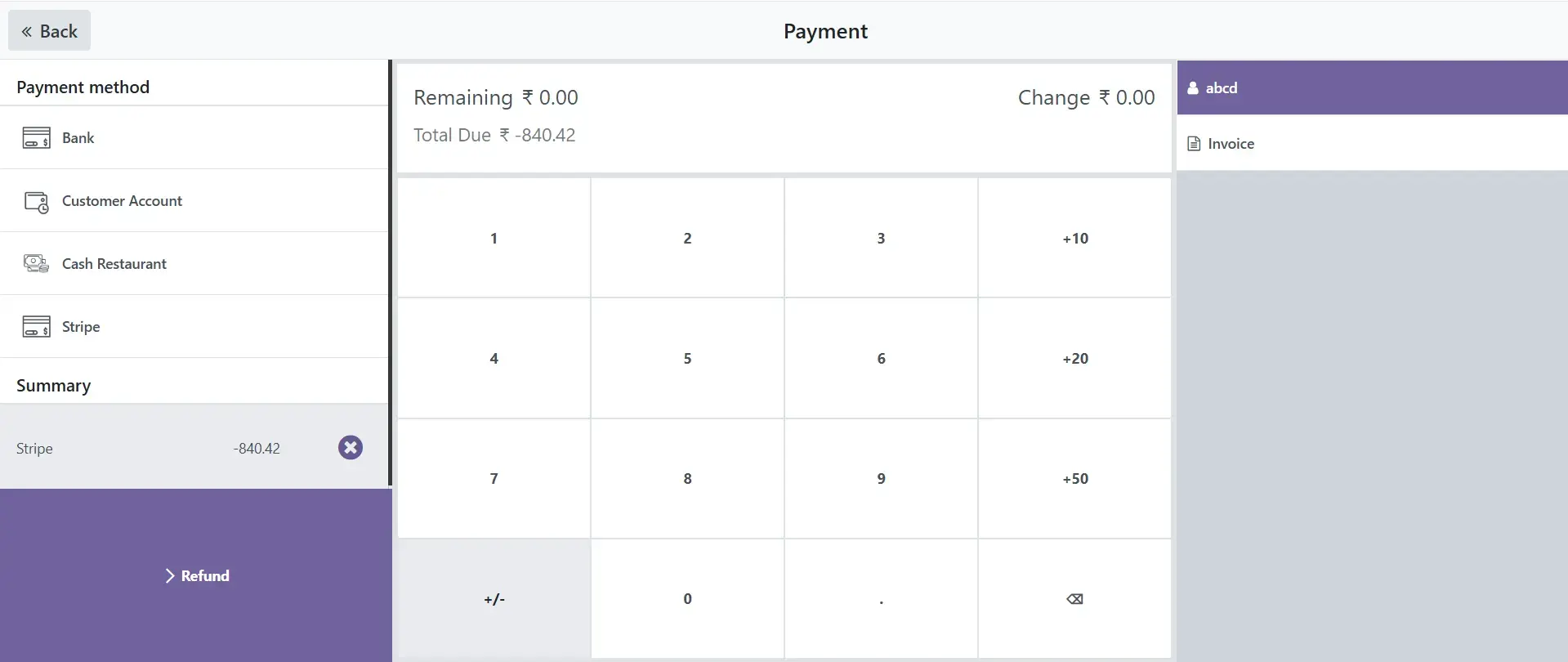
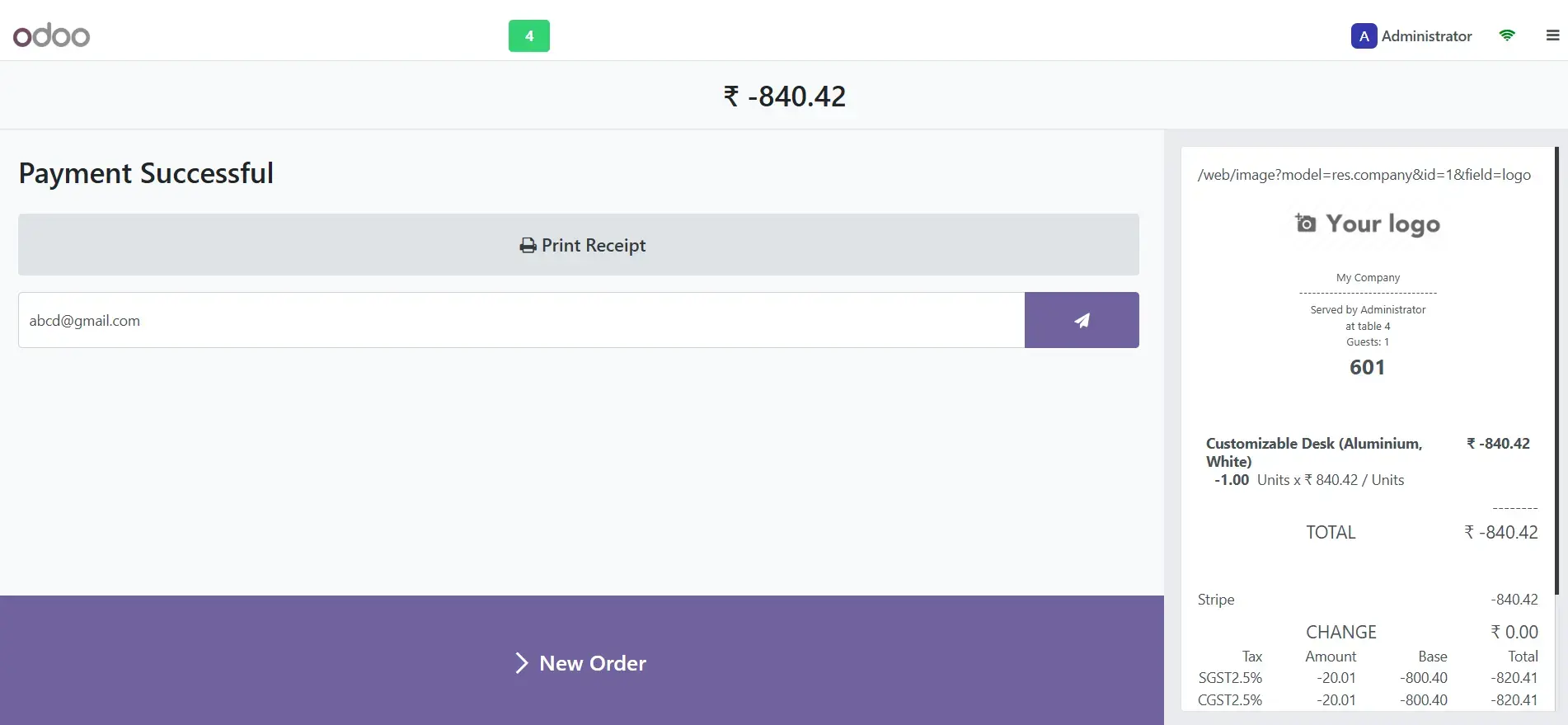
Step 5 - You will receive a notification once the payment is processed.
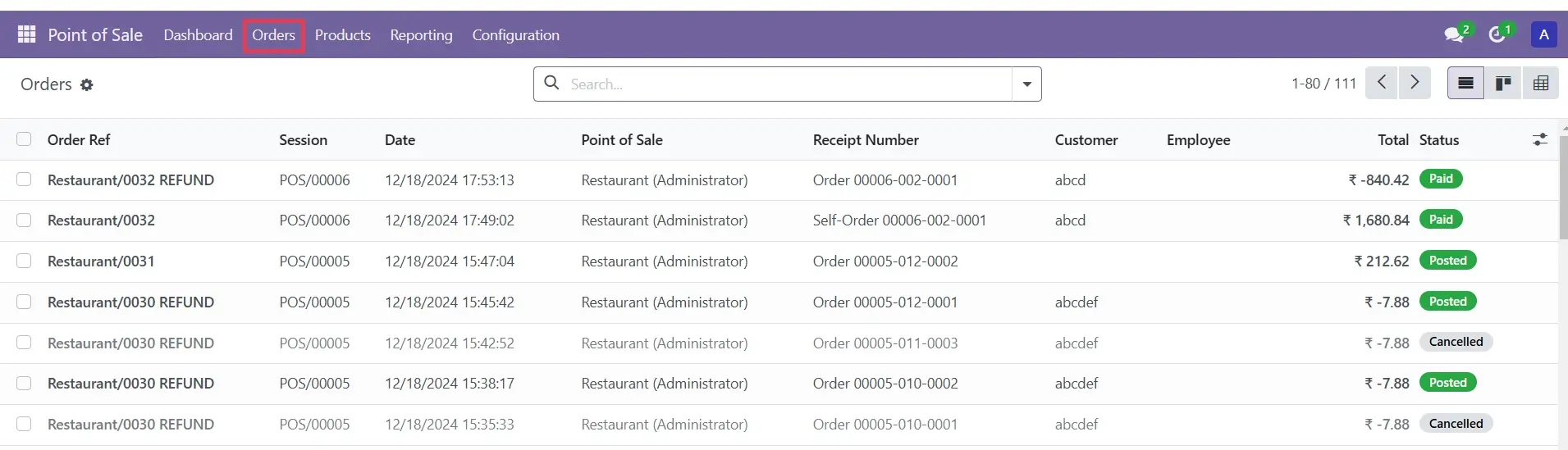
Step 6 - Refund details can also be viewed in the "Orders" section.
Odoo POS allows you to process partial refunds for situations where only a portion of the order is being returned.
Instead of issuing cash or card refunds, you can offer store credit or loyalty points to encourage future purchases.
Refund transactions in Odoo POS automatically sync with your accounting module, ensuring accurate financial records without manual updates.
Generate detailed refund reports to analyze patterns and identify common reasons for returns. This can help you improve products or customer service.
Refunds are an inevitable part of running a retail or service business. With Odoo POS, you can handle them efficiently and professionally, ensuring a smooth experience for your customers while keeping your records accurate.
By following the steps outlined in this guide, you can process refunds with confidence and focus on building stronger relationships with your customers.
Need help setting up or managing refunds in Odoo POS? Contact us today for expert assistance and discover how Odoo can simplify your business operations. Get started with a free consultation!
1. Can I issue partial refunds in Odoo POS?
Yes, Odoo POS allows you to process partial refunds. You can select specific items from an order and issue a refund for only those items.
2. How does Odoo handle inventory for returned products?
Odoo POS automatically updates inventory records for refunded items. You can choose to restock the item or mark it as scrap if it’s defective.
3. Can I offer store credit instead of a cash refund?
Yes, Odoo POS supports issuing refunds as store credit or loyalty points, which customers can use for future purchases.
4. Are refund transactions integrated with accounting in Odoo?
Yes, refund transactions in Odoo POS sync with the accounting module, ensuring that your financial records are accurate and up to date.
5. How do I generate refund reports in Odoo?
You can access refund reports in the POS or accounting module. These reports provide insights into refund patterns, reasons, and financial impact.
Let Odoo take your business to the next level!
Contact us and take the next step!
Follow Our Adventures!

Ready to launch your next project?

Company
Copyright © 2020. micra.digital. All rights reserved.